How to Make an Esports Logo in Illustrator
Contents
If you’re looking to make an esports logo in Illustrator, this tutorial will show you how to do it. We’ll cover how to create the basic shapes, add text, and apply some final touches to make your logo look professional.
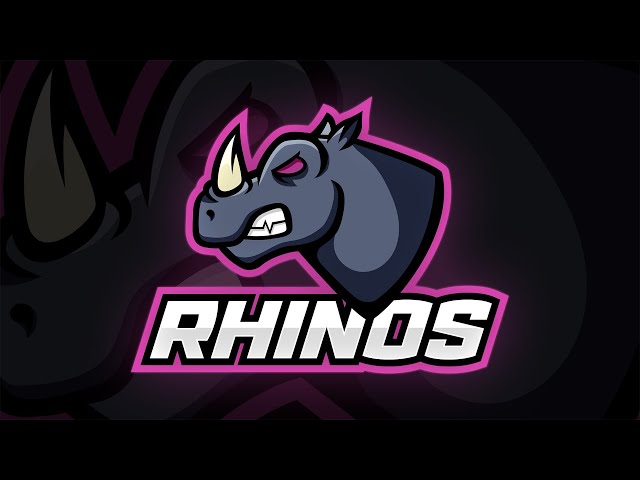
Open a New Document in Adobe Illustrator
Open a new document in Adobe Illustrator by clicking on File > New. A new document window will appear. In the settings window, change the width and height to 1000 px by 1000 px and make sure the “Color Mode” is set to RGB. Then click “Create.”
Set Up the Artboard
In Adobe Illustrator, create a new document and set up your artboard. The size of your artboard is completely up to you, but we recommend using a width of 800px and a height of 600px. This will give you plenty of room to work with as you create your logo.
Once you have your artboard set up, it’s time to start planning out your logo!
Draw the Esports Logo Shape
First, open Adobe Illustrator and draw a rectangle. Make sure the rectangle is big enough so we can work with it, but not too big that it takes up the whole screen. We want to keep our document at a reasonable size so we can easily export it later.
Next, use the Rectangle Tool (M) to draw a small circle in the center of the rectangle. This will be the “button” on our controller.
Finally, use the Ellipse Tool (L) to draw two small ellipses on either side of the button for the “thumbsticks”.
Add Color to the Esports Logo
Now that you have your basic esports logo design, it’s time to add some color!
To start, go to the “Window” menu and choose “Swatches.” Then, click on the “Open Swatch Library” button at the bottom of the Swatches panel and select “Gradients.”
This will open a new panel with a variety of different gradient presets that you can use. Select the one that you want to use for your esports logo and then click on the “OK” button.
Next, select the “Gradient Tool” from the Toolbar and then click and drag on your esports logo to apply the gradient.
You can also adjust the angle of the gradient by clicking on one of the handles and dragging it in or out.
If you want to change the colors of the gradient, double-click on the “Gradient Slider” in the Swatches panel. This will open up a new dialogue box where you can adjust the colors of your gradient.
When you’re happy with your gradient, click on the “OK” button to close out of the dialogue box.
Add Text to the Esports Logo
Adding text to your esports logo is a great way to personalize it and make it unique to your team. To add text, first select the “Text” tool from the toolbar on the left side of the screen. Then, click anywhere on the canvas and type out the text you want to add to your logo. To change the font, size, or color of the text, use the options at the top of the screen.
Once you’re happy with how your text looks, you can use the “Text” tool to move it around on the canvas. To do this, simply click and drag the text to wherever you want it to go. You can also use the “Text” tool to change the alignment of your text by clicking on one of the options in the top toolbar.
Export the Esports Logo
Now that you have your esports logo complete, it’s time to save it for use. In order to do this, you need to “export” your logo as a file format that can be used on the web and in print. The two most common file formats for logos are “JPEG” and “PNG.”
To export your logo as a JPEG, go to File > Export > Export As and choose the file format as JPEG. Be sure to check the “Use Artboards” checkbox so that all of your esports logo is exported and not just part of it. Once you have the file saved, you can open it in any photo editor or web browser to see how it looks.
To export your logo as a PNG, go to File > Export > Export As and choose PNG from the file format drop-down menu. Once again, make sure the “Use Artboards” checkbox is checked so that your entire logo is exported. PNG files are generally used for web graphics because they have a transparent background. This means that you can place your logo on any color background and it will still look great.